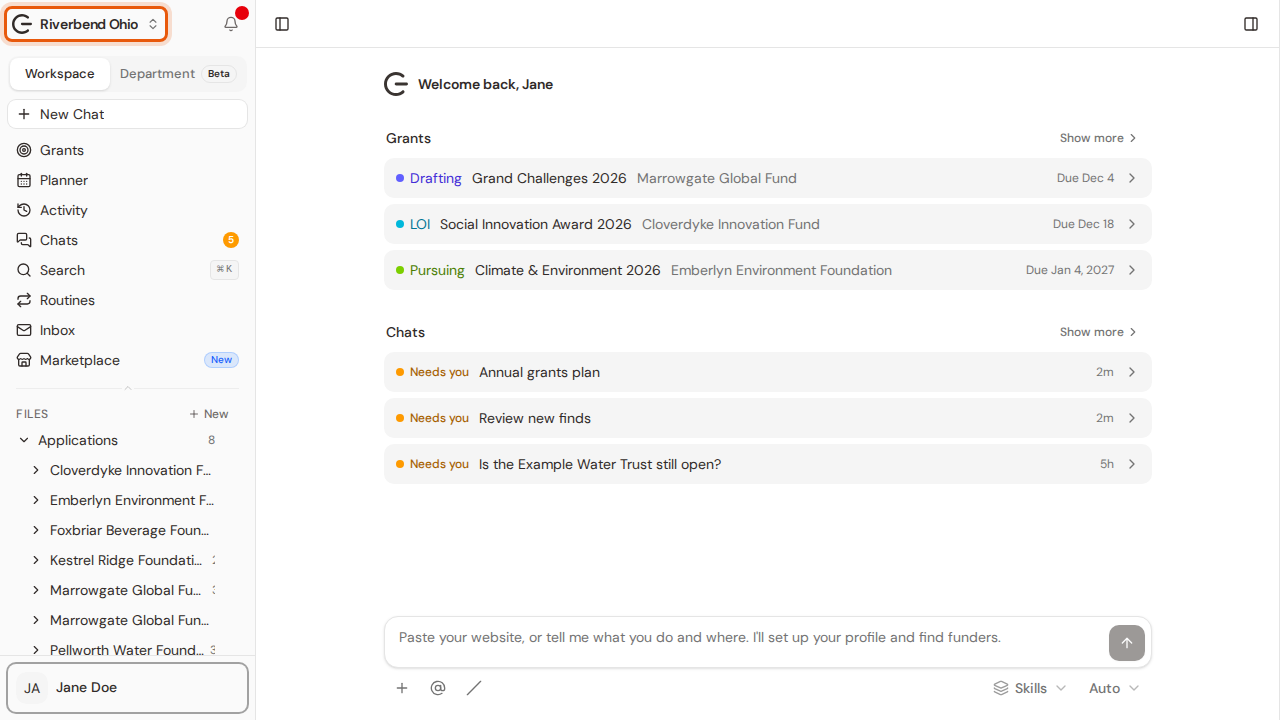
Rename a workspace
Change the name of a workspace in your account. Everyone in it sees the new name in their sidebar. A picture for every step.
Last updated Nov 20, 2026
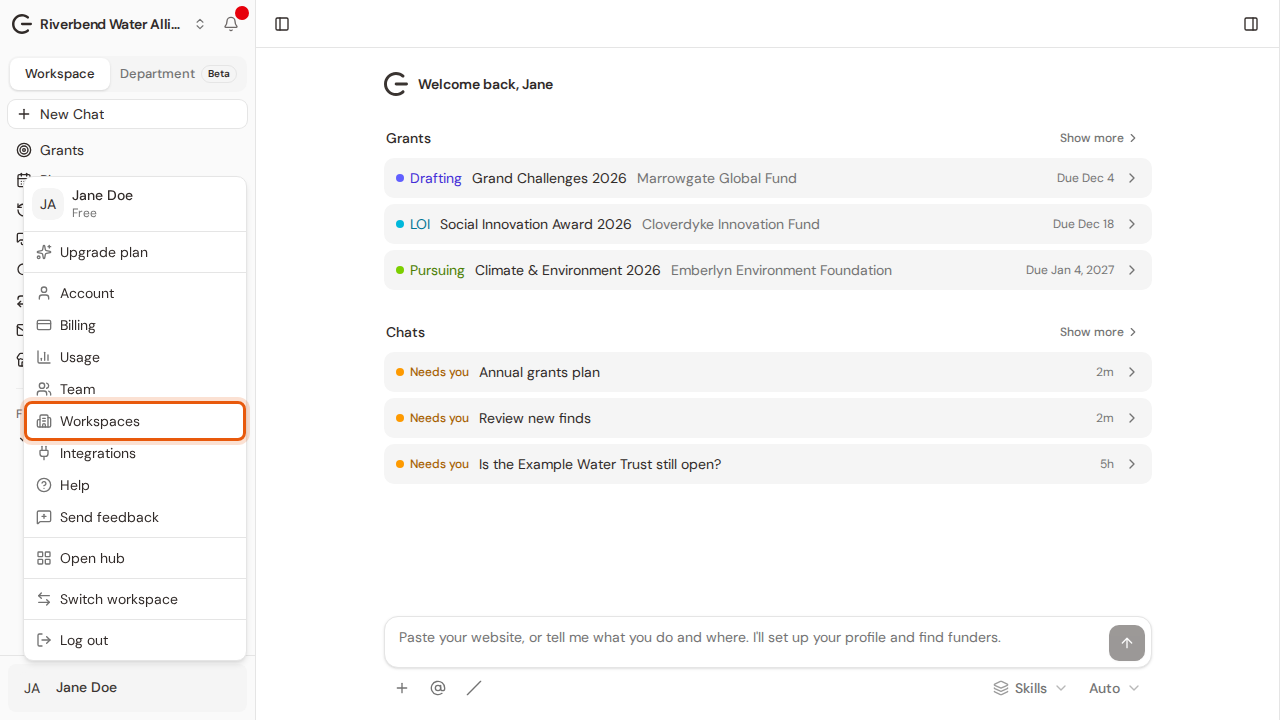
Step 1:Open your account menu at the bottom of the sidebar and choose Workspaces.
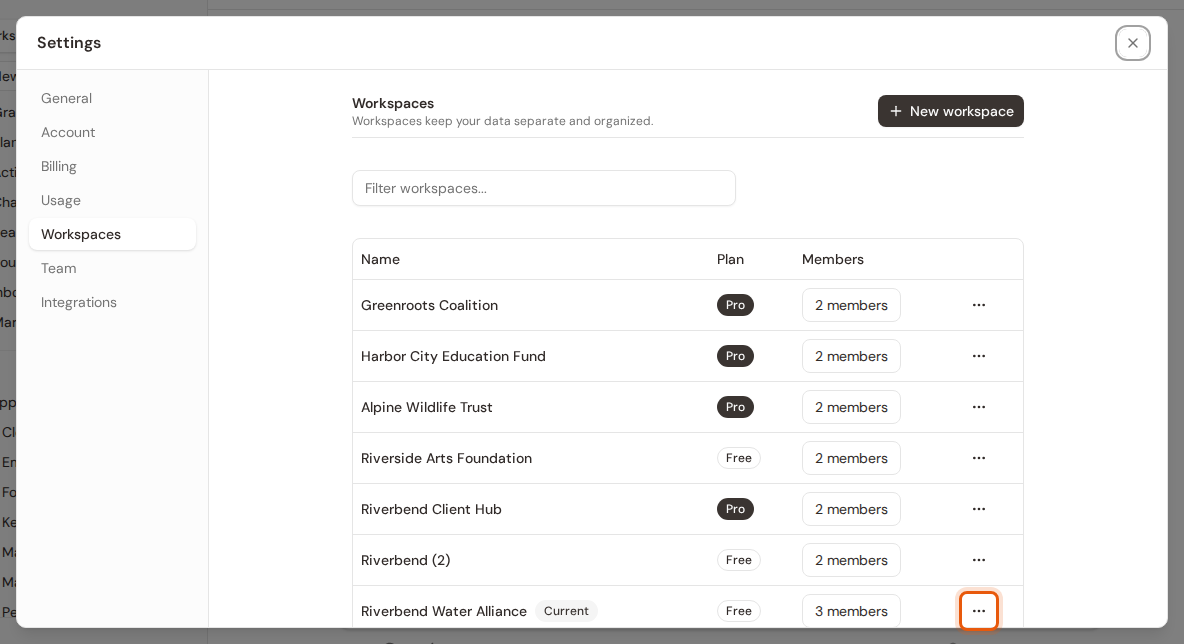
Step 2:Settings lists every workspace in your account. Click the three-dot button on the workspace's row.
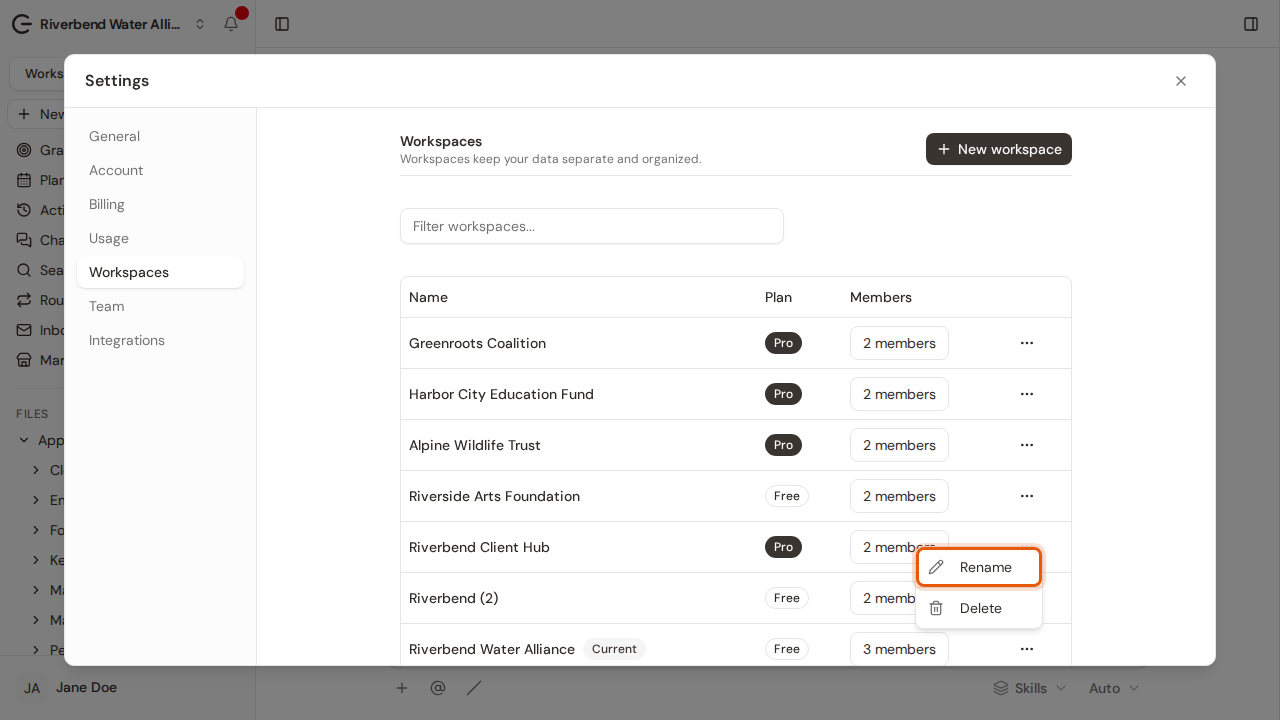
Step 3:Choose Rename.
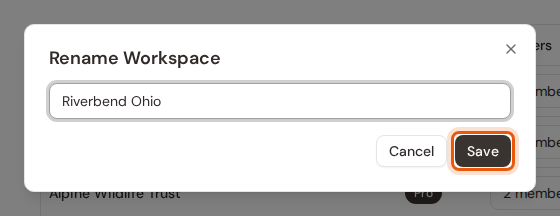
Step 4:Type the new name and click Save.
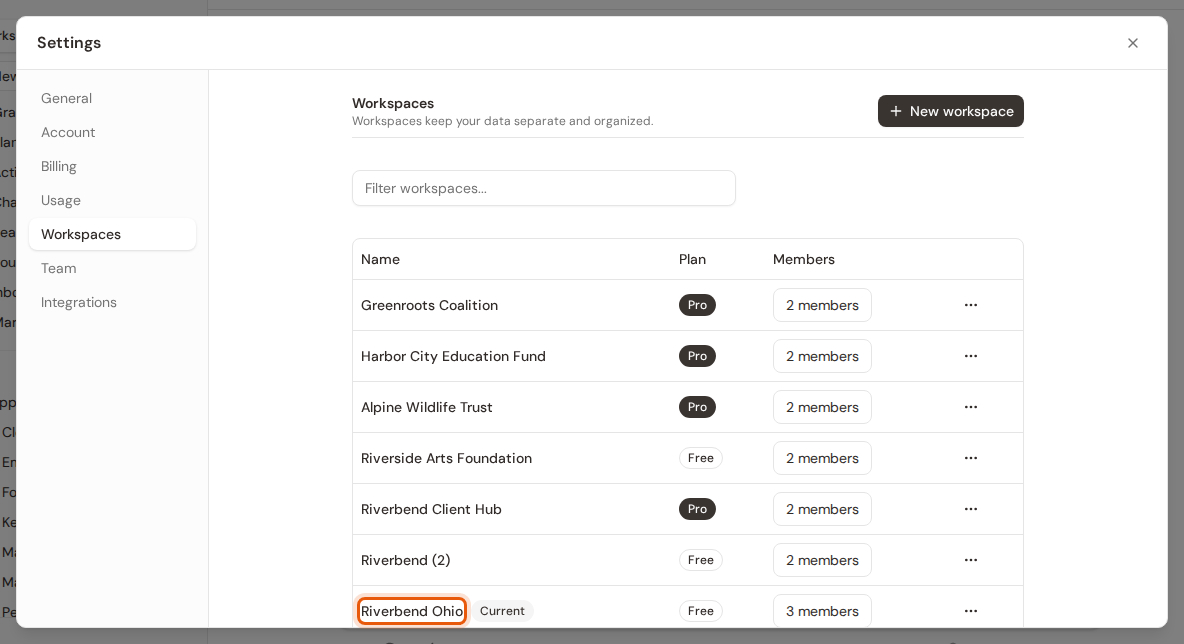
Step 5:The new name shows in the list straight away.
Step 6:It shows at the top of the sidebar too.