Remove someone from your account
Take away a teammate's access to your account and every workspace in it, for example when they leave. A picture for every step.
Last updated Nov 20, 2026
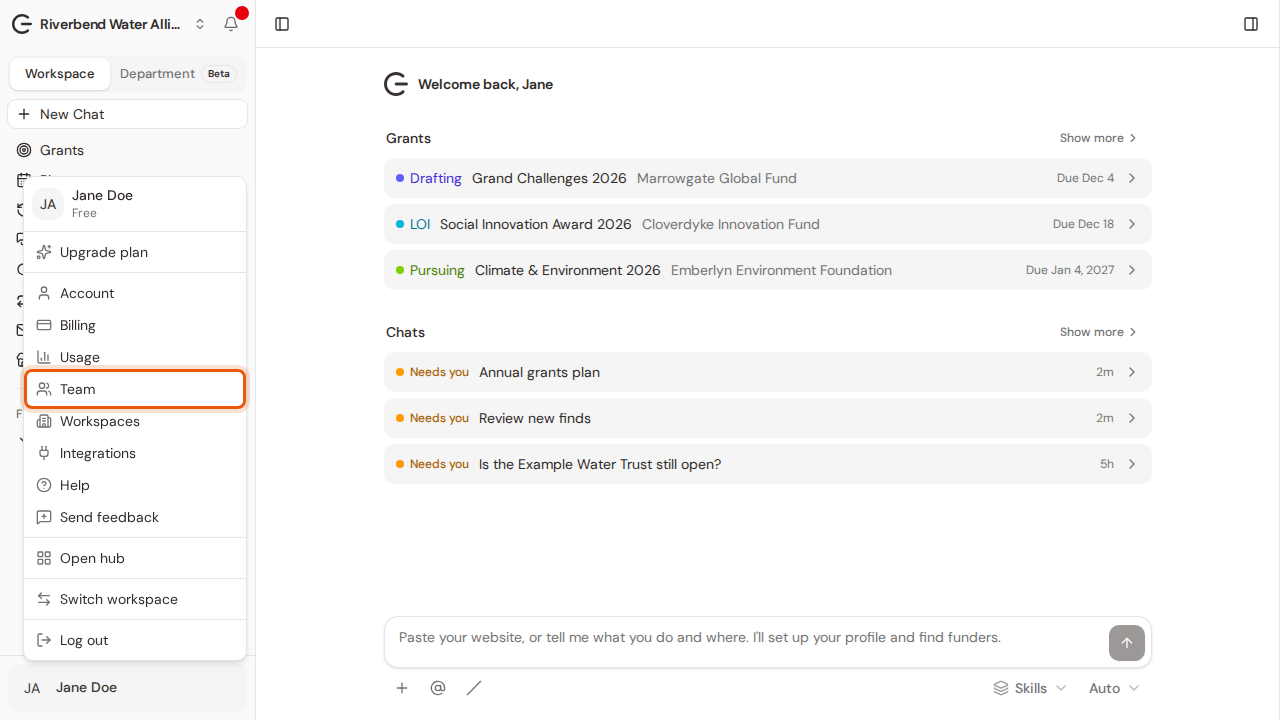
Step 1:Open your account menu at the bottom of the sidebar and choose Team.
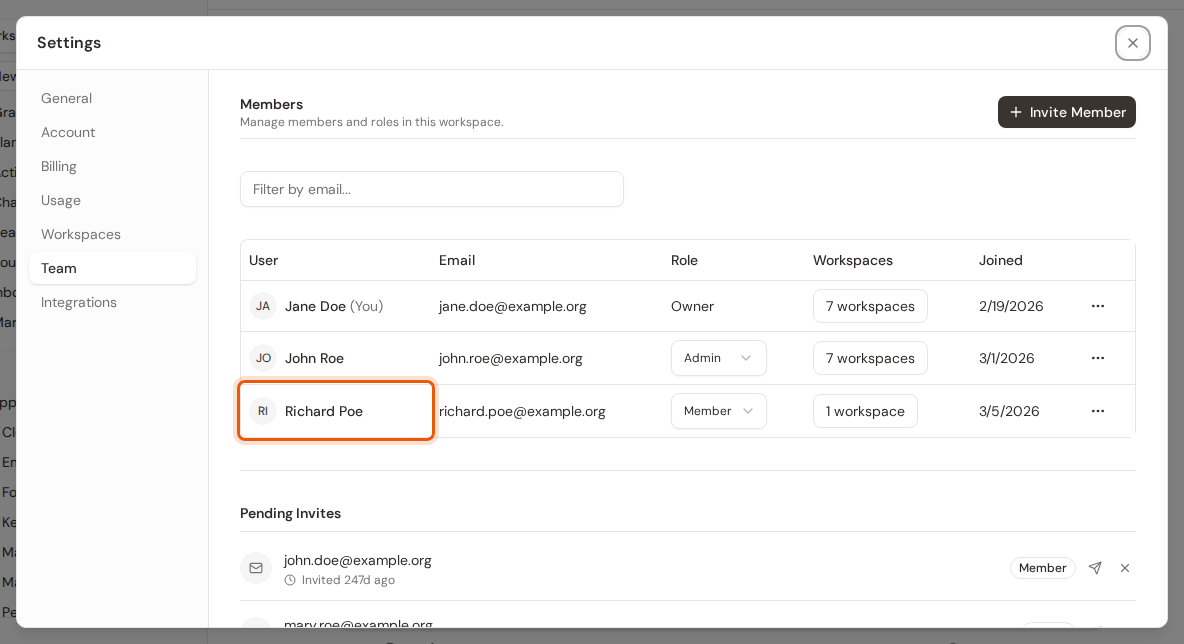
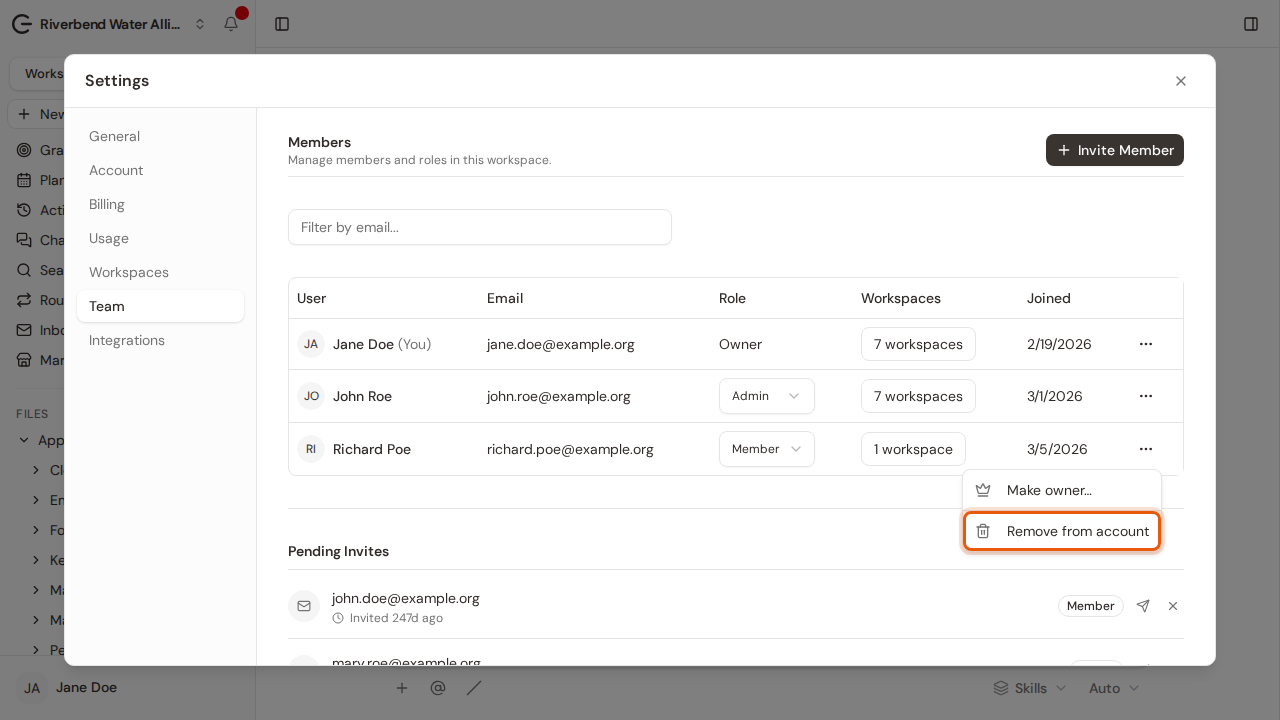
Step 2:Settings opens on the Team tab. Find the person in the list.
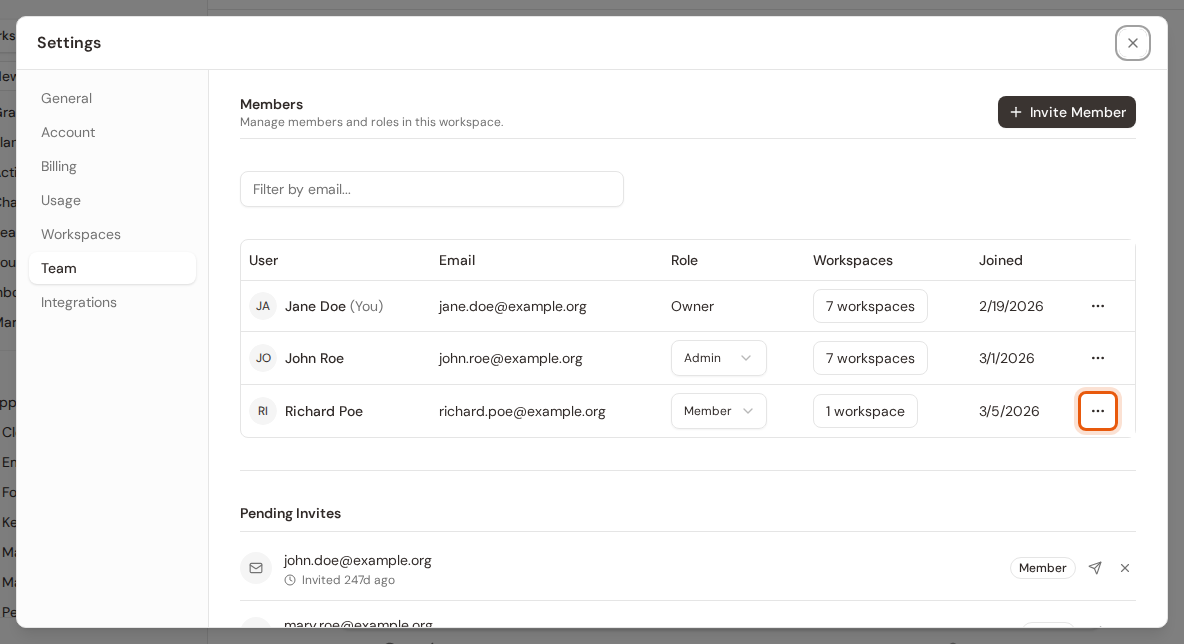
Step 3:Click the three-dot button at the end of their row.
Step 4:Choose Remove from account.
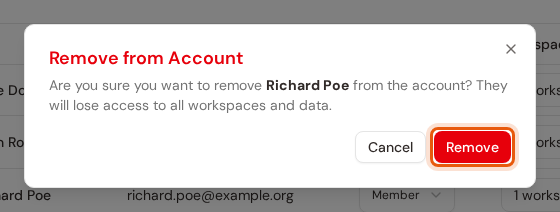
Step 5:Click Remove to confirm. They lose access to every workspace in your account straight away.