Draft a first proposal from your files
Attach a funder's guidelines and your own documents, and ask Grantable for a first draft. A picture for every step.
Last updated Nov 20, 2026
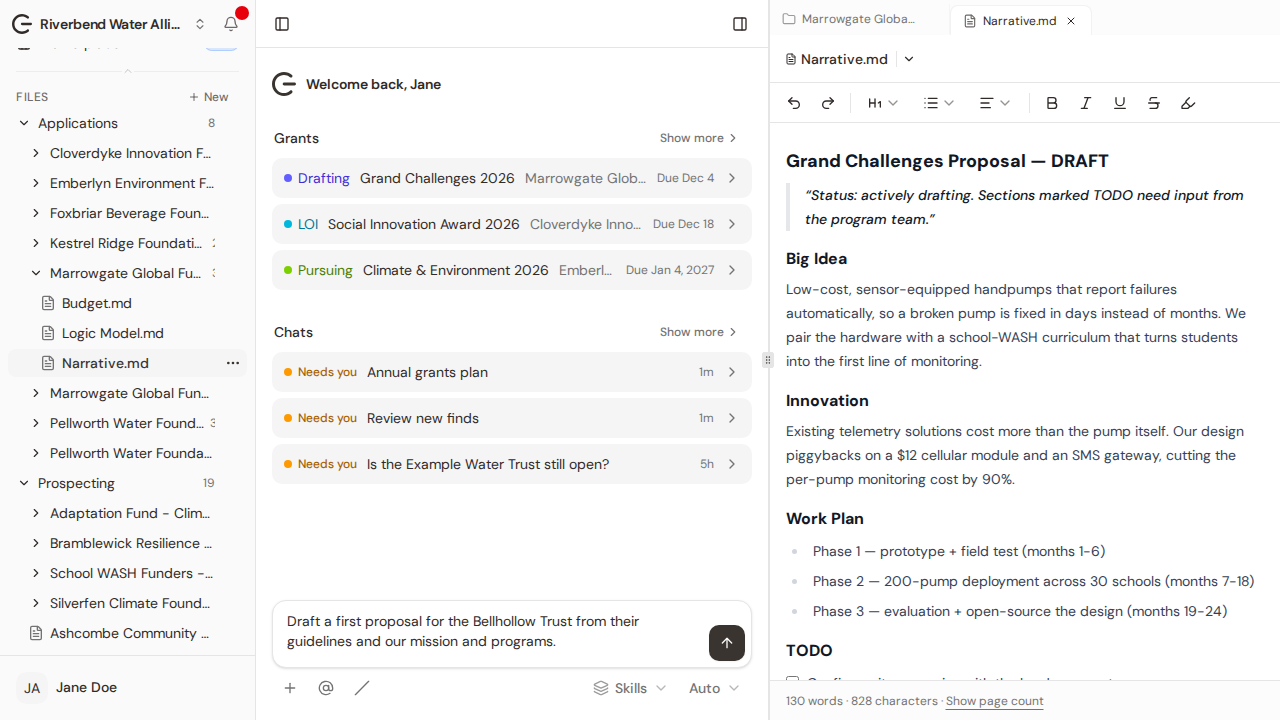
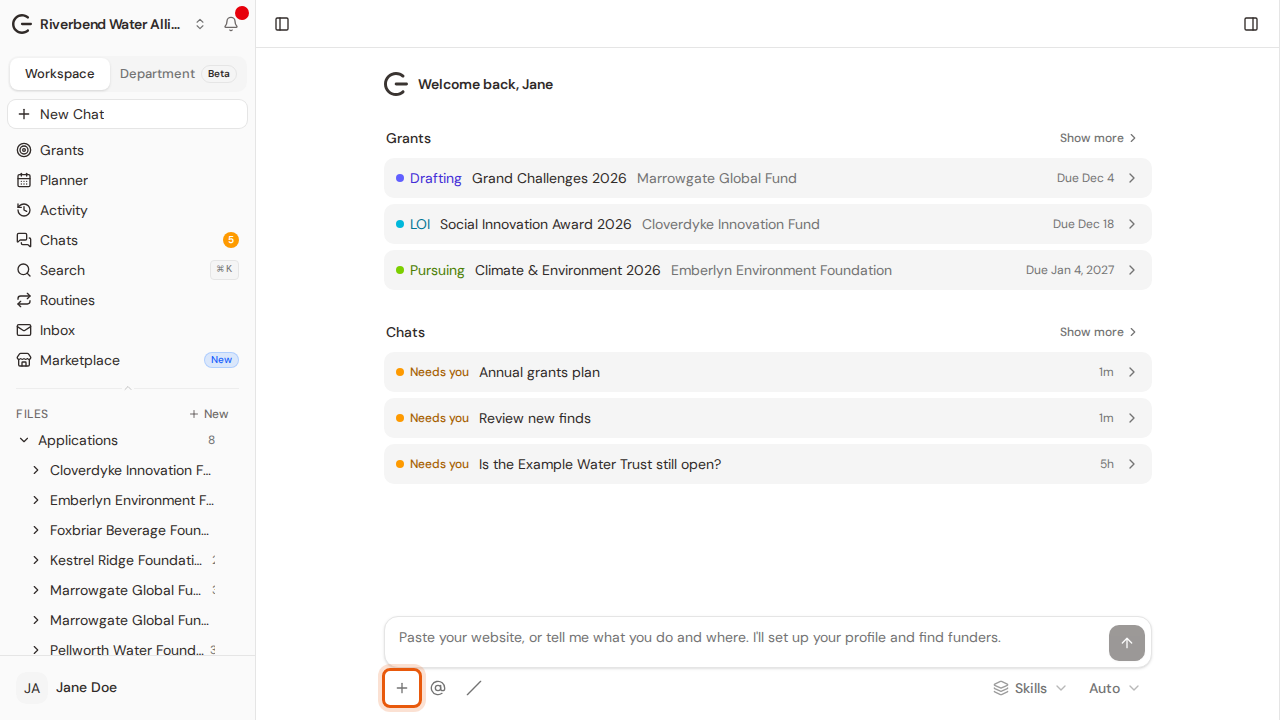
Step 1:On the home screen, click + in the message box.
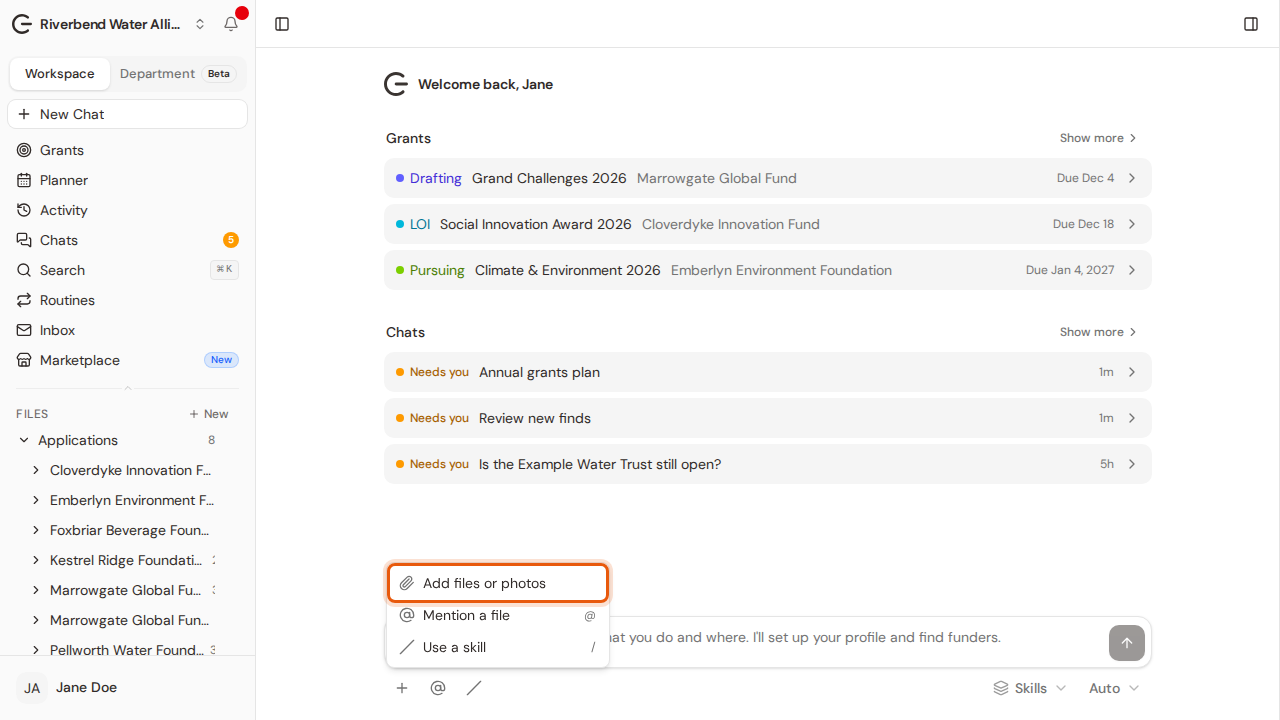
Step 2:Choose Add files or photos and pick the funder's guidelines and your own documents.
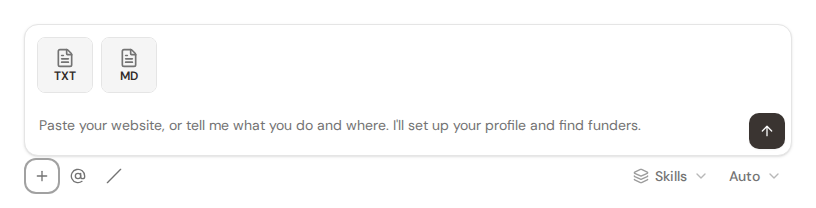
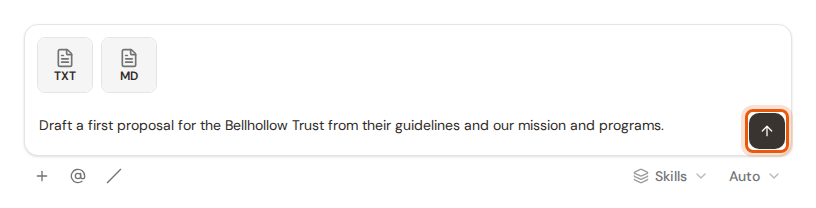
Step 3:Your files are attached. PDF, Word, Excel, text and image files all work.
Step 4:Say what you want, in your own words, then click Send.
Step 5:Grantable reads your files and writes the draft as a document in your workspace. Open it from the sidebar to review and edit it, like this one.