The RFP Checklist
Turning a 40-page RFP into an interactive checklist — what gets extracted, how to audit it, and how the checklist becomes the operational tracker for the whole proposal.
- Uploading the RFP
- What Gets Extracted
- Auditing the Extraction
- The Checklist Pill
5 min
reading time
Interactive knowledge check
The RFP Checklist
An RFP is 30 to 80 pages of funder language in which three sentences about the narrative structure are buried on page 23, the page-limit rule is a footnote on page 17, and the required attachments list is a paragraph under “Application Instructions.” The traditional move is to read the whole thing, highlight, and build a spreadsheet of requirements. That takes two hours and you still worry you missed something.
The checklist flips it. You hand Grantable the RFP, it extracts every requirement — narrative questions, attachments, formatting rules, budget items — into an interactive list you then work from. The two hours becomes two minutes, and what you spend your attention on is the auditing, not the hunting.
Uploading the RFP
Drag the RFP into the chat, use the attachment button in the input bar, or @mention a file you’ve already saved in your Library. PDFs and Word documents both work; the native file viewer renders the document right in the context panel so you can scroll and search while you talk to Grantable.
If you’ve already generated a Grant Opportunity Brief for this opportunity (from the previous module), the brief already contains the Application Requirements Inventory and the Question-by-Question Alignment — that’s the same source material. The checklist is the operational version: less narrative, more trackable.
What Gets Extracted
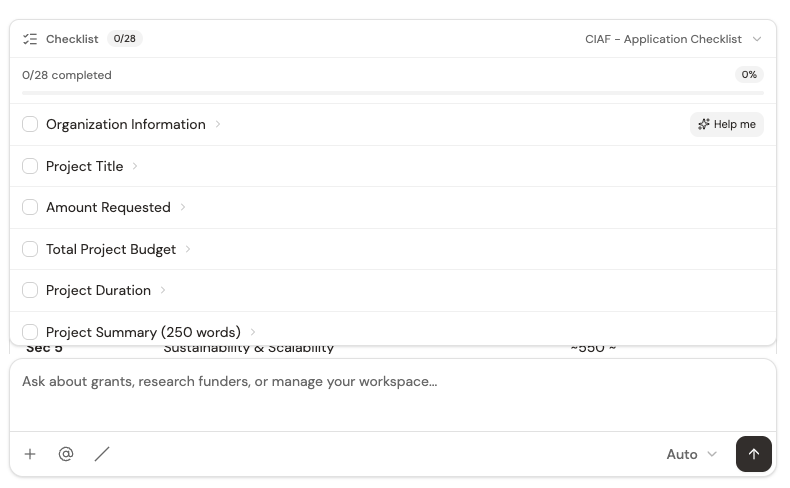
Ask Grantable to extract the checklist — “Extract the requirements from this RFP into a checklist” — and it produces a grouped, interactive list covering four kinds of requirement:
Narrative questions
Every prompt the funder wants answered — project description, problem/needs statement, organizational capacity, evaluation plan, sustainability — with word limits and any formatting notes pulled from the RFP.
Supporting attachments
Board list, audited financials, letters of support, org chart, IRS determination letter — anything the funder requires as a separate document.
Formatting and compliance
Page limits, font size, margins, file naming conventions, submission portal requirements. The small rules that can disqualify an otherwise-strong proposal.
Budget and financials
Line-item budget, budget narrative, matching fund documentation, indirect cost policy — treated separately because they often need finance-team involvement.
Auditing the Extraction
This is the part most teams skip and shouldn’t. Grantable catches most requirements, but RFPs with unusual formatting — requirements buried in appendices, embedded in tables, phrased indirectly — sometimes need a manual add. Two minutes of audit beats a disqualified submission.
When you audit, read the RFP’s Application Instructions and Evaluation Criteria sections against your checklist. Those are the two places funders most commonly hide requirements that don’t look like requirements — “proposals should demonstrate X” often means X is a required criterion the extraction didn’t flag explicitly.
Add anything missing by clicking into the checklist and typing a new item. Rename or regroup items that aren’t shaped the way your team thinks about the work. The checklist is editable — it’s your operational tracker, not a fixed artifact.
The Checklist Pill
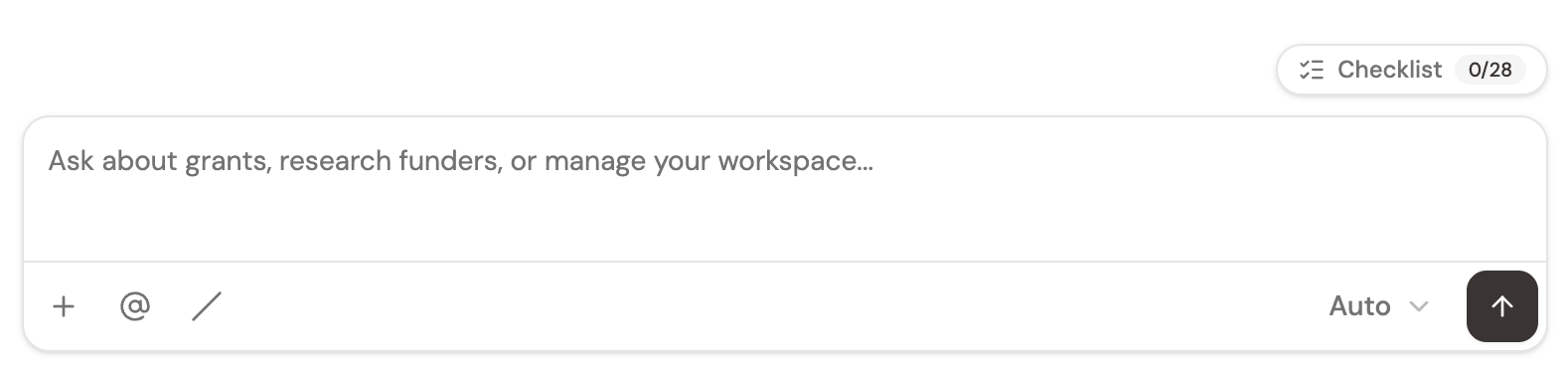
Once extracted, the checklist lives at the top of your conversation as a pill — a small summary that shows your progress as you complete items (“12 of 34 complete”). Click it anytime to expand the full list and jump into a specific item.
The checklist does two jobs. One, it makes sure nothing gets missed — a compliance failsafe that’s always visible. Two, it breaks the proposal into discrete mini-assignments, so you never stare at a blank 25-page document. You work one item at a time, and the pill tells you how far you’ve come.
You upload an RFP and Grantable extracts a 30-item checklist. Scanning it against the RFP, you notice a required attachment mentioned once in an appendix that the extraction missed. What's the right move?
- Upload an RFP and extract a checklist in one step; the native file viewer opens the RFP in the context panel while you work
- The checklist covers four categories: narrative questions, attachments, formatting/compliance, and budget — each with enough detail to start work
- Audit against the RFP's Application Instructions and Evaluation Criteria to catch anything the extraction missed; add manually
- The checklist pill sits at the top of your conversation as a live progress tracker, and expands on click
Next Lesson
A checklist tells you what needs to be done. Next we’ll look at the one move that turns each checklist item into a drafted section — the Help me action, and the rhythm of working through a 30-item list without losing momentum.
Notice an error or have a question about this lesson?
Get in touchHave questions about this lesson?
Ask Grantable to explain concepts, suggest how they apply to your organization, or help you think through next steps.