Workspace Memory and Why It Compounds
How everything you do in Grantable becomes part of the team's long-term memory — and how unified search across files, folders, and chats makes that memory usable when people come and go.
- Everything You Do Becomes Memory
- Search Across the Whole Workspace
- What Makes Memory Useful
- When Someone Leaves
- Next Module
4 min
reading time
Interactive knowledge check
Workspace Memory and Why It Compounds
Staff turnover is one of the quietly costly transitions in grant programs. A grant writer leaves and takes years of relationships, language, and lessons-learned with them — locked in their head, in their browser bookmarks, in a Drive folder nobody else has the structure of. The next person rebuilds from the website, or worse, doesn’t — and the team loses months of capacity it took years to build.
Grantable’s workspace is built to retain that knowledge — not as a deliberate “knowledge base” project, but as a side effect of the team doing its work in one place.
Everything You Do Becomes Memory
Every action that touches the workspace adds to its memory. There’s no separate archive step.
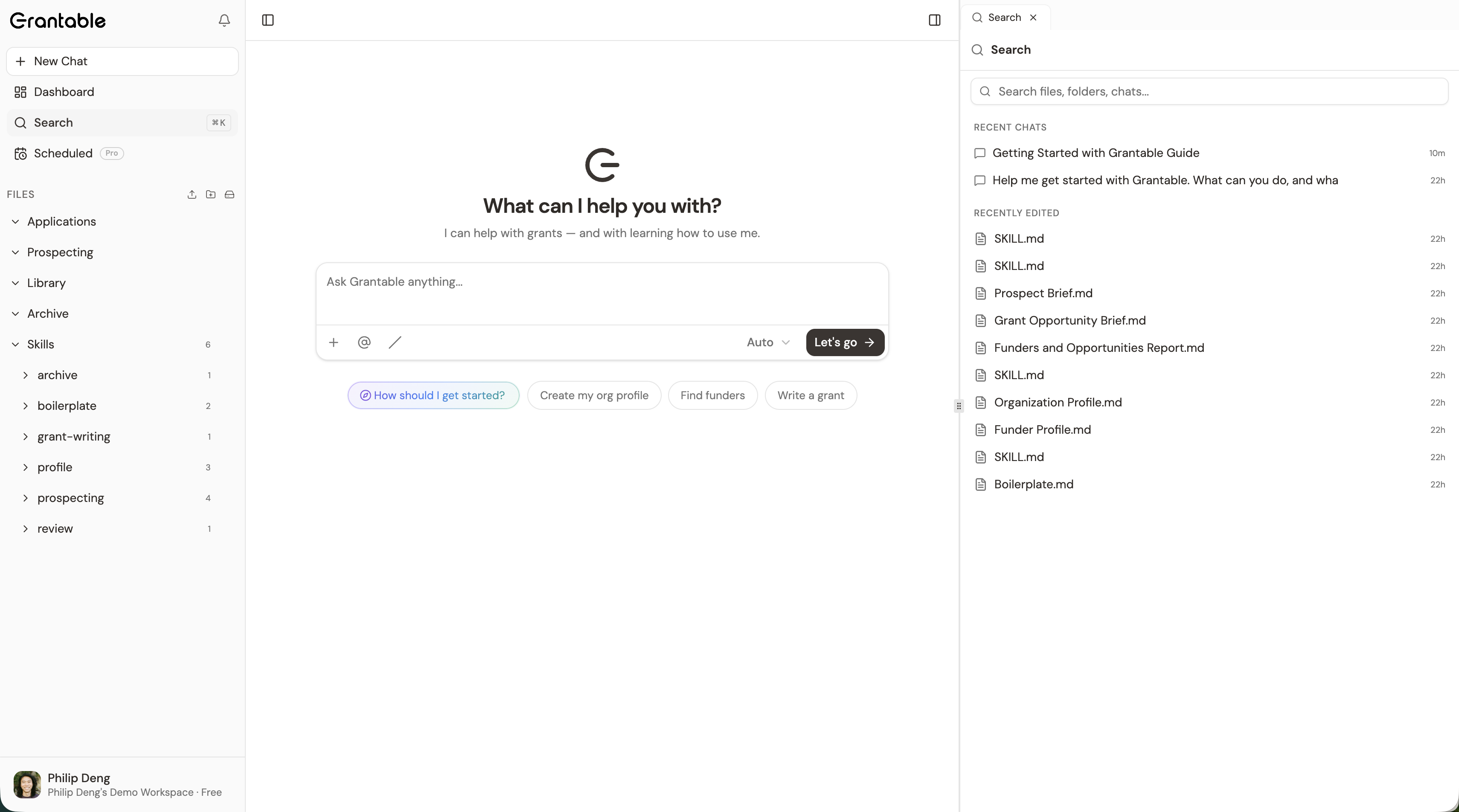
Conversations are saved and searchable
Every chat with the AI persists — questions asked, strategies considered, decisions made. The chat that talked through whether to pursue a moonshot foundation in 2024 is still there in 2026, ready to inform the same conversation about a related funder.
Documents accumulate as files
Past proposals, LOIs, funder briefs, opportunity briefs, board reports. They live as real files in the file tree, organized by your folder structure, accessible to anyone on the workspace.
Pipeline history is durable
Every grant you've applied to has its file in /Applications/. Every prospect has its brief in /Prospecting/. Status, deadlines, amounts, outcomes — preserved on the file metadata that the dashboard reads.
File versions track every change
Saved versions of every document persist; the team can scroll back and see how a section evolved, which language ended up in the submitted version, what was tried and discarded along the way.
Search Across the Whole Workspace
Memory is only useful if you can find what you need. The workspace has a search panel — files, folders, and chats all indexed together.
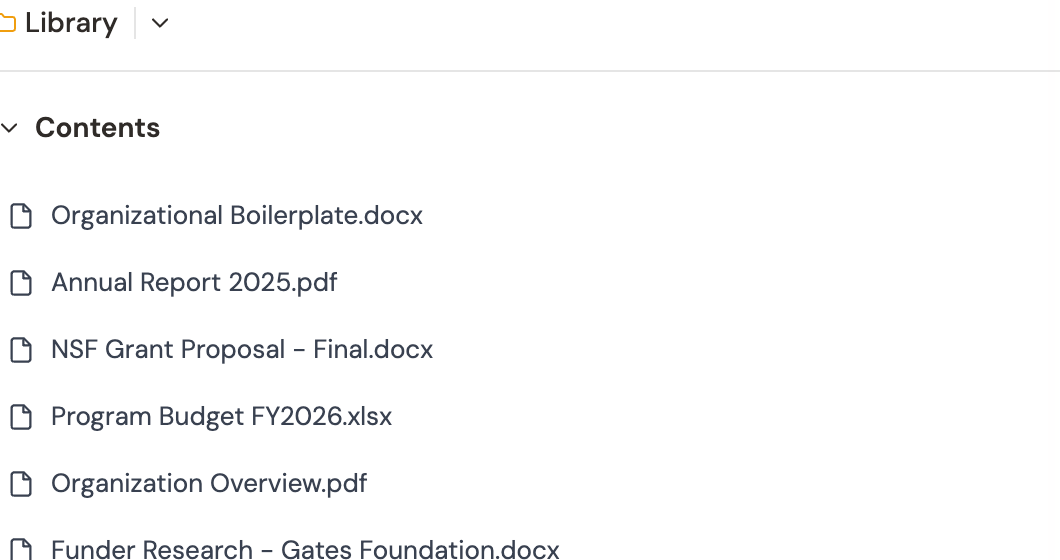
You ask the question; the search finds the answer wherever it lives:
- “Did we ever apply to the Johnson Foundation?” — the prior application file surfaces, plus any chats where you discussed it
- “What outcomes data did we use in last year’s K-12 STEM proposal?” — the relevant proposal section appears
- “What did the Healy Foundation program officer say in our last call?” — the chat where the call notes were captured
The AI itself is a search interface too. Ask Grantable directly — “Have we applied to this funder before? Pull up the proposal we sent and summarize how it landed.” — and it walks the workspace using the same tools, returning a synthesis instead of just a list of matches.
What Makes Memory Useful
Memory accumulates passively. What makes it usable is small bits of human context added at moments that matter:
Note the why on a key decision
When you decline to pursue a major opportunity, leave a sentence in the chat or the brief: 'Skipping — program officer relationship hasn't been rebuilt since 2023; better to wait a cycle.' Two years later, that's the most valuable line in the workspace.
Capture relationship context after a real conversation
After a call with a program officer, drop the highlights into the funder's brief or a fresh chat: 'Sarah is leaving in Q3, transition to David. He's interested in evaluation-heavy proposals.' Future conversations with that funder start informed.
Annotate wins and losses
When a grant lands or doesn't, write what made the difference. 'Won — they liked the partnership framing.' 'Declined — fit was real but our financials looked thin.' The next person learning that funder gets the lesson in two sentences instead of two months.
Institutional memory in Grantable isn’t something you build deliberately — it’s the natural byproduct of working in one place. What turns it from raw history into usable knowledge is small bits of human context at the right moments. Two years later, when the person who wrote them is gone, those sentences are the most valuable text in your workspace.
When Someone Leaves
The transition out of a role is the moment institutional knowledge is most at risk. The right move isn’t to “export everything” — the work is already in the workspace. It’s to spend a few hours adding the human layer the work doesn’t capture by default.
A departing team member’s last week is best spent on three things: writing a relationship note on each active funder (“how to approach them, who’s the program officer, where we left off”), summarizing what worked and what didn’t on recent submissions, and tagging any drafts they were partway through with the strategic context the next person will need. Two hours of writing saves the next person two months of guessing.
Your lead grant writer is leaving the organization in two weeks. What's the most valuable thing they can do before they go?
- Every conversation, document, file version, and pipeline entry persists in the workspace — memory accumulates as a side effect of working in Grantable
- Unified search covers files, folders, and chats together; the AI can also search and synthesize across the whole workspace in conversation
- What makes memory useful is small bits of human context — why a decision was made, who a relationship is with, what won or lost — written at the moment they happen
- Departing team members should spend their last hours adding relationship notes and strategic context, not exporting files
Next Module
You’ve covered the operational arc: prospecting, writing, intelligence. The next module shifts to the team layer — comments, sharing, the inbox as a shared surface, the rituals that turn an individual workspace into an organizational one.
Notice an error or have a question about this lesson?
Get in touchHave questions about this lesson?
Ask Grantable to explain concepts, suggest how they apply to your organization, or help you think through next steps.